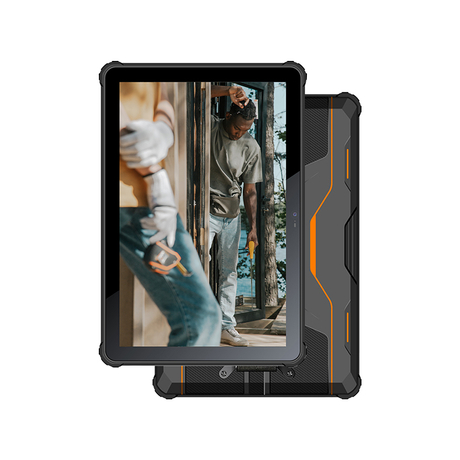
Choosing the right mobile platform in hazardous environments is not just a device decision—it is a workflow decision. In industries such as oil & gas, chemicals, mining, and utilities, teams need handheld devices that can safely operate in potentially explosive areas while supporting inspections, maintenance records, asset tracking, and field reporting. That is why the Industrial Intrinsically Safe PDA with Windows OS remains an important option for many enterprises. Although Android-based rugged devices are widely available and capable, they are not always the best fit for every hazardous-area project. In many deployments, companies choose a Windows-based intrinsically safe PDA because it aligns better with existing software, IT infrastructure, and field processes. For organizations that rely on Windows-based systems, legacy applications, or internal desktop-style tools, Windows can reduce transition risk and speed up implementation. This article explains why some companies choose a Windows OS intrinsically safe PDA instead of Android, when that choice makes sense, and what factors to evaluate before making a final decision.
1.Why OS Choice Matters in Hazardous-Area Mobility
In hazardous-area mobility projects, safety certification is the first requirement, but it is not the only one. Once safety compliance is confirmed, the operating system becomes a major factor because it affects software compatibility, user adoption, deployment speed, and long-term support.
A device may meet hazardous-area requirements, but if it cannot run required applications or fit existing workflows, the rollout can become slow and costly. This is especially true in industrial environments where field teams rely on structured processes such as work orders, inspection checklists, maintenance confirmations, and documentation records. In these cases, the Industrial Intrinsically Safe PDA with Windows OS may offer practical advantages over Android.
2.What a Windows OS Intrinsically Safe PDA Offers That Android May Not
A Windows-based intrinsically safe PDA is often chosen not because Android is weak, but because Windows fits the company’s operational environment more directly. The benefits usually come from software continuity and integration efficiency.
Better Compatibility with Legacy Windows Applications
Many industrial organizations still use legacy Windows software for maintenance management, asset tracking, warehousing, reporting, and internal field operations. Some of these tools were developed years ago and remain business-critical. Rebuilding them as Android apps may require significant time, budget, testing, and retraining.
A Windows OS intrinsically safe PDA can often support these established applications more easily, which helps companies digitize field tasks without redesigning their entire software stack. This is especially valuable when the project timeline is tight or when the existing system is stable and already trusted by operations teams.
Easier Integration with Existing Enterprise Systems
In many plants and industrial sites, IT systems are built around Windows environments, shared file structures, internal databases, and long-established user permission models. A Windows-based field device can fit more naturally into that ecosystem.
This reduces integration friction during deployment. Instead of creating new middleware or changing core workflows, companies may be able to extend existing systems into hazardous-area operations more efficiently. For businesses trying to modernize gradually, this can be a major advantage.
Familiar User Experience for Windows-Based Teams
Field adoption is often underestimated during procurement. Even when a device is technically excellent, rollout success depends on whether technicians, supervisors, and support staff can use it confidently in daily work.
If teams already work with Windows-based systems in offices, maintenance rooms, or control environments, a Windows handheld can feel more familiar. That can shorten onboarding time, reduce resistance to change, and improve consistency between office and field processes.
3.Key Reasons Companies Choose Windows Instead of Android in Hazardous Environments
The decision to choose Windows is usually based on operational priorities rather than brand preference. Below are the most common reasons.
Legacy Software Is Mission-Critical
For some organizations, legacy software is the foundation of daily operations, including inspection records, maintenance logs, and asset histories. In these cases, switching to Android may create delays, redevelopment costs, or workflow gaps. A Windows-based intrinsically safe PDA is often the fastest and lowest-risk way to extend these processes into hazardous-area field work while preserving continuity.
Complex Multi-Step Workflows Need Tight Software Alignment
Industrial field tasks are rarely single-step actions. Technicians may need to open work orders, verify asset IDs, complete checklists, capture photos, update status, and submit records for review. When these workflows are built around Windows applications, a Windows OS intrinsically safe PDA can reduce duplicate entry and improve workflow alignment, helping teams work more efficiently and consistently.
IT Deployment and Support Are Built Around Windows
Some companies have mature Windows deployment and support practices but limited Android enterprise management experience. Their IT teams may already have standard procedures for device provisioning, user permissions, software maintenance, and field support in Windows environments. In these cases, Windows-based intrinsically safe PDAs can simplify policy alignment and long-term support, especially for shared devices used across shifts.
Transition Cost and Training Time Must Stay Low
Android may offer strong modern mobile capabilities, but switching platforms can still require retraining, interface redesign, process changes, and software migration. In hazardous-area projects, these changes can slow deployment and increase risk. A Windows-based solution can reduce migration friction for teams already using Windows systems, especially in phased rollouts or pilot deployments where speed and continuity matter most.
4.Windows vs Android in Hazardous-Area PDA Selection
The best platform depends on the project environment. The comparison below can help companies evaluate which option fits their actual needs.
Practical Comparison Table
Decision Factor | Windows OS Intrinsically Safe PDA | Android Intrinsically Safe PDA |
Legacy software compatibility | Strong for Windows-based legacy apps and desktop-style tools | May require app redevelopment or middleware |
Integration with existing Windows IT environment | Often easier in Windows-centered infrastructure | Can integrate well, but may need more adaptation |
User familiarity (Windows-based teams) | Usually high for teams already using Windows workflows | May require more training if teams are not mobile-first |
Mobile-first app ecosystem | More limited compared with Android | Stronger app ecosystem and mobile UI options |
Best use case | Continuity, legacy workflows, phased digitalization | New mobile-first deployments and modern app rebuilds |
Migration effort from paper + Windows systems | Often lower if existing software remains in place | Can be higher if processes are redesigned |
IT management fit | Strong for Windows-centric IT teams | Strong for teams with Android enterprise management experience |
5.When Android May Be the Better Choice
A balanced decision process matters. Android can be the better choice when a company is building a new mobile workflow from scratch, prioritizing modern app interfaces, or already using Android enterprise management at scale.
Android Strengths in New Deployments
Android is often a strong fit for mobile-first applications, modern UI design, and projects that are not tied to older Windows software. If the organization is already planning a full software rebuild or platform migration, Android may offer more flexibility in app development and device options.
Why Honest Comparison Improves Purchasing Decisions
Not every hazardous-area project should choose Windows. The right choice depends on software requirements, field tasks, rollout timeline, IT support capacity, and total deployment cost. Comparing both platforms honestly helps companies avoid expensive mismatches and choose a device strategy that supports long-term operations.
6.Best-Fit Scenarios for a Windows OS Intrinsically Safe PDA
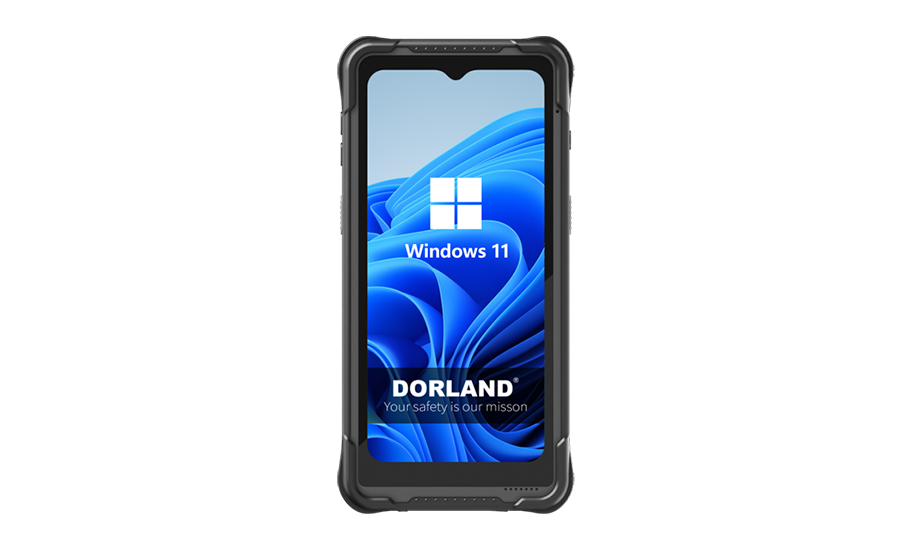
The Industrial Intrinsically Safe PDA with Windows OS is especially effective in situations where workflow continuity is more important than adopting the newest mobile platform.
Hazardous-Area Operations with Existing Windows Workflows
Industries such as oil & gas, chemicals, mining, and utilities often run Windows-based inspection or maintenance tools. When these organizations need to digitize field work quickly, a Windows-based intrinsically safe PDA can extend current systems into hazardous areas without major backend changes.
Plants Using Custom Internal Software
Many factories and process plants still use custom Windows applications developed internally over years of operation. These tools may be deeply integrated with site-specific workflows and difficult to replace. A Windows handheld can support gradual modernization while preserving critical operational logic.
Teams Replacing Paper-Based Processes in Stages
For companies moving away from paper inspections, a phased rollout is usually safer than a full system replacement. A Windows-based PDA allows teams to digitize forms, scanning, and photo records while keeping familiar Windows-based systems in place, reducing risk during early deployment.
7.Selection Factors Before Choosing Windows Over Android
Before procurement, companies should evaluate the full workflow environment—not just device features.
Software Compatibility Audit
List all required applications, file types, and integrations. Identify which tools are Windows-only, which can run on both platforms, and which would require redevelopment. Field testing is important to confirm real usability, not just technical compatibility.
Workflow and Connectivity Requirements
Review how the device will be used in practice. Consider offline operation, data synchronization behavior, scanning needs, camera usage, and task complexity. The best platform is the one that supports the full field process smoothly.
IT Management, Security, and Lifecycle Planning
Check how devices will be provisioned, updated, secured, and supported over time. Shared-device policies, user permissions, patching strategy, and replacement planning should all be defined before deployment.
Total Deployment Cost, Not Just Device Price
A lower device price does not always mean a lower project cost. Companies should compare software migration effort, training time, downtime risk, integration work, and long-term support. In many cases, a Windows device may reduce total cost by speeding deployment and lowering disruption.
FAQ
Can a Windows intrinsically safe PDA run older desktop-style industrial software without major redevelopment?
In many cases, yes—especially if the software was designed for Windows environments and the device supports the required system version and resources. However, companies should still test usability, screen layout, input methods, and performance in field conditions before rollout.
What should companies check first before migrating from Android field devices to Windows-based intrinsically safe PDAs?
They should start with a workflow and software audit. The key questions are whether current apps need replacement, what data must be migrated, how users will authenticate, and whether IT support processes are ready for Windows-based field device management.
How do software licensing and long-term support affect the Windows vs Android decision in hazardous-area projects?
Licensing and support can significantly affect total cost and lifecycle planning. Companies should evaluate OS support timelines, software licensing terms, update policies, and vendor support availability before choosing a platform, especially for long deployment cycles.
Is a mixed deployment practical in the same hazardous facility?
Yes, in some cases. A mixed deployment can work when different teams have different needs—for example, Windows devices for legacy maintenance workflows and Android devices for newer mobile apps. Success depends on clear device roles, data integration planning, and consistent IT/security policies.
Conclusion
Choosing a Windows OS intrinsically safe PDA instead of Android makes the most sense when workflow continuity, legacy software compatibility, and fast integration matter more than adopting a newer mobile platform. In hazardous-area operations, the best decision is not simply about features—it is about reducing operational risk while improving field execution.
For companies that still rely on Windows-based systems, a well-matched Industrial Intrinsically Safe PDA with Windows OS can provide a practical path to safer, more efficient digital field operations.