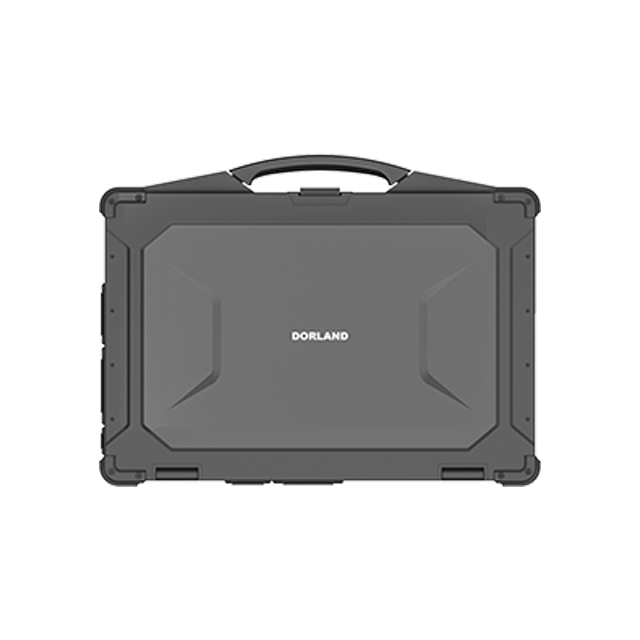
Industrial operations constantly push toward lightweight mobility. Facilities widely deploy standard tablets to replace paper trails. However, these touch-first devices hit hard limits during deep maintenance work inside hazardous Ex zones. Maintenance engineers conducting on-site SCADA diagnostics, PLC programming, or complex CAD reviews face severe workflow bottlenecks without full computing power. They lack the physical I/O ports and tactile inputs required in volatile areas.
To bridge this gap, engineers need a highly specialized solution. Enter the intrinsically safe laptop. It stands as the essential tool for high-input, computation-heavy tasks in ATEX, IECEx, or Class I, Division 1 and 2 environments. You will learn why consumer-style tablets fall short for complex machine diagnostics. We will explore the critical engineering differences between basic ruggedization and true intrinsic safety. Finally, you will discover the exact criteria for selecting a compliant, enterprise-grade machine designed for extreme frontline work.
Key Takeaways
Tablets excel at data collection and inspection; laptops are mandatory for local PLC programming, complex schematic rendering, and heavy data input in hazardous zones.
"Standard rugged" (drop/waterproof) does not mean "intrinsically safe" (incapable of releasing thermal/electrical energy sufficient to ignite volatile gases/dust).
Selecting an intrinsically safe laptop requires evaluating thermal management (T-Codes), isolated legacy ports (RS-232, RJ-45), and verifiable regional certifications (ATEX vs. C1D2).
Peripheral compliance is critical: connecting a non-certified USB mouse or drive to an IS laptop inside a hazardous area voids safety and introduces severe risk.
The Workflow Breaking Point: Why Tablets Fall Short for Maintenance Engineers
Frontline efficiency plummets when engineers must leave hazardous areas to analyze machine data. They waste valuable production hours returning to safe-zone offices just to rewrite logic controllers. You cannot easily review heavy engineering documentation on a cramped, touch-only display.
Heavy-Duty Software Requirements
Tablets lack necessary processing overhead. Mobile operating systems often cannot run full Integrated Development Environments (IDEs). Running native 3D CAD models demands traditional computer architectures and dedicated graphical processing. Heavy SCADA or HMI configuration tools simply crash or lag on low-power tablet hardware.
Input and Connectivity Gaps
Touchscreens frequently fail during complex coding sessions. Engineers wearing heavy, specialized safety gloves struggle to tap small interface elements accurately. Drops of rain or machine oil render capacitive screens useless. Laptops solve this by providing full-travel tactile keyboards for precision input. Furthermore, they natively support multiple isolated legacy ports. Serial RS-232 ports and native RJ-45 Ethernet remain vital for direct machine interfacing on legacy factory floors.
Use Case Contrast
Tablets work beautifully for inventory clerks tracking stock. They serve visual inspectors conducting routine safety checks perfectly well. Conversely, you need an intrinsically safe laptop for deep reliability engineering. Troubleshooting faulty chemical reactors requires intense typing and legacy cable connections. Offshore drilling rig maintenance demands robust computing far beyond a tablet's restricted capacity.
Rugged vs. Intrinsically Safe: Decoding the Engineering Differences
Many procurement teams confuse rugged devices with intrinsically safe hardware. Dropping a device onto concrete without it breaking defines ruggedization. Passing military standard tests (MIL-STD-810H) proves physical durability. However, preventing internal circuitry from generating a micro-spark defines intrinsic safety. Stopping electronic components from reaching ignition temperatures represents a completely different engineering challenge.
Energy Limitation Mechanics
An intrinsically safe device achieves compliance via non-incendive circuits. Manufacturers strictly regulate internal power draws. They design fail-safe energy barriers to isolate power delivery across the motherboard. If a component fails or short-circuits, these barriers prevent voltage spikes. The device simply cannot release enough electrical energy to ignite ambient flammable gases.
Temperature Classes (T-Codes)
Thermal control remains an absolute necessity in volatile zones. Certification bodies use Temperature Classes, or T-Codes, to dictate maximum surface heat. For example, a T4 rating limits external surface temperatures to 135°C. To maintain this, engineers utilize advanced fanless architectures. They deploy magnesium alloy heat dissipation systems to prevent overheating entirely.
The "Enclosure" Myth
Many wrongly believe a heavy protective case secures a standard laptop for Ex zones. True compliance is engineered natively inside the chassis. Safety mechanisms must exist at the motherboard and battery level. Sealing a consumer laptop inside a thick plastic box does not eliminate internal sparking risks.
Comparison Chart: Standard Rugged vs. Intrinsically Safe
Feature
Standard Rugged Laptop
Intrinsically Safe Laptop
Primary Goal
Survive drops, water, and physical shock
Prevent ignition of explosive atmospheres
Energy Control
Standard commercial power delivery
Current and voltage strictly limited
Thermal Management
Standard cooling fans allowed
Fanless, T-Code regulated surface temperatures
Hazardous Certification
None (or generic safe-zone only)
ATEX, IECEx, Class I Div 1 / Div 2
Key Evaluation Criteria for an Intrinsically Safe Laptop
Selecting the right hardware requires careful technical alignment. You must match device specifications directly to your facility's hazard classifications. IT departments must also verify modern security standards.
Verifiable Certifications by Region
Always map the device to your operational footprint. European and global operations require ATEX or IECEx certifications. These usually specify Zone 1 for continuous hazards or Zone 2 for occasional hazards. North American facilities rely on NEC and CEC standards. They classify environments as Class I, Division 1 or Division 2. Never deploy a device lacking the specific regional badge required by your local safety authority.
Compute vs. Thermal Trade-offs
Manufacturers must balance multi-core processor demands carefully. Stringent low-heat emission requirements force necessary hardware trade-offs. Expect energy-optimized CPUs rather than high-wattage gaming chips. High-power chips generate too much heat for T-Code limits. However, energy-efficient modern processors still deliver powerful enterprise-grade performance.
Display and Usability in Extreme Conditions
Look for direct-bonded, anti-glare screen technology. Proprietary bonded screens eliminate internal reflections. This provides brilliant direct sunlight readability for outdoor refinery work. Ensure the device includes rain and glove-capable trackpads. Operators must navigate interfaces smoothly during extreme weather without removing protective gear.
Enterprise Integration & Security
Assess integration into your existing fleet management ecosystems. Devices must feature hardware security like TPM 2.0 modules. They should support automated provisioning software. The laptop must satisfy strict corporate IT requirements alongside its field safety standards. A device is useless if it cannot securely connect to the company domain.
Implementation Realities and Deployment Risks
Deploying specialized computing hardware introduces unique operational challenges. Managers must strictly enforce usage policies to maintain safety compliance. Hardware mishandling can compromise an entire facility.
The Peripheral Trap
An intrinsically safe device remains compliant only if its connected ecosystem holds matching certifications. Avoid using standard USB trackballs or external consumer hard drives. Non-certified barcode scanners lack EMI/RFI shielding and spark prevention circuitry. Plugging a standard flash drive into an Ex-certified port voids overall safety immediately.
Best Practices for Ex-Zone Peripherals
Never connect uncertified USB flash drives while inside the hazardous zone.
Avoid consumer-grade wireless mice; they can generate static electricity.
Use only explicitly Ex-certified barcode scanners and diagnostic cables.
Ensure all major docking stations reside entirely in safe, non-classified zones.
Battery Management Constraints
Address the reality of battery power inside hazardous zones. Standard batteries cannot undergo hot-swapping in an Ex zone. Pulling a battery breaks an electrical circuit, inherently creating an ignition arc. The device must feature specifically engineered, mechanically locked hot-swap ports. These ports strictly limit energy release during battery transitions.
Lifecycle Assumptions and ROI
Acknowledge the upfront capital expenditure required for specialized hardware. You justify this investment through maximized operational uptime. Immediate in-zone repairs restore production lines much faster. You avoid the hidden costs of engineers walking back and forth to safe zones. Anticipate standard three-to-seven-year operational lifespans. Comprehensive enterprise warranties secure this equipment against accidental physical damage.
Shortlisting Your IS Laptop: Next Steps for Procurement
Transitioning from consumer tablets to heavy-duty laptops requires structured procurement. Buying blindly leads to severe over-spending or dangerous under-specifying.
Audit the Zone
Confirm your environment's exact hazard frequencies. Continuous exposure to volatile gases requires Zone 0/1 or C1D1 ratings. Abnormal or accidental hazard exposure needs Zone 2 or C1D2. Purchasing a Zone 1 device for a Zone 2 area wastes thousands of dollars per unit. Understand your exact classification before speaking to vendors.
Map Software to Hardware
Cross-reference your system requirements carefully. Identify your maintenance team’s heaviest software applications. Local PLC emulators demand substantial RAM to function smoothly. Complex schematics require fast solid-state storage capabilities. Ensure the chosen model comfortably exceeds these minimum software thresholds.
Request Proof of Compliance
Mandate vendors to provide up-to-date compliance documentation. Request official Declarations of Conformity (DoCs) early in the conversation. Require independent laboratory testing certificates prior to any pilot testing. Do not rely solely on marketing brochures.
Procurement Action Plan
Conduct a rigorous facility safety audit to confirm exact Zone/Division needs.
Define minimum software computing requirements for your maintenance team.
Request and verify vendor conformity declarations for the device and its batteries.
Launch a controlled pilot deployment with a single engineering shift.
Conclusion
Tablets serve a vital role for basic industrial mobility and data collection. However, the intrinsically safe laptop remains the undisputed choice for heavy engineering tasks. Maintenance workers require uncompromised keyboard input. They need direct legacy connectivity and powerful processing inside volatile environments.
Take the following actionable steps to secure your frontline efficiency:
Audit your specific Class/Division or Zone hazard requirements immediately.
Map your heaviest diagnostic software needs directly to hardware specifications.
Consult with an Ex-certified hardware specialist to explore compliance documentation.
Begin a small pilot deployment to measure real-world performance under actual working conditions.
FAQ
Q: Can I use a standard rugged laptop in a Class I, Division 2 area?
A: No. Rugged devices survive harsh handling like water and drops. However, without specific ANSI/UL 121201 or equivalent certification, they present severe dangers. Their standard internal components can easily generate electrical sparks. They emit surface heat capable of igniting ambient chemical vapors.
Q: Are intrinsically safe laptops slower than standard laptops?
A: To maintain strict surface temperature limits and limit power draw, these laptops use energy-optimized processors. While slightly slower than top-tier consumer workstations, they perform excellently. They deliver more than enough enterprise-grade compute power for running modern industrial software without lagging.
Q: Can I connect via Wi-Fi or 4G/5G inside a hazardous area?
A: Yes. Modern intrinsically safe laptops come equipped with certified internal wireless modules. They include specially sealed antennas for Wi-Fi 6E and LTE/5G networking. These modules communicate securely without breaching critical energy emission limits dictated by safety standards.