Procuring mobile computing for hazardous areas requires a delicate balance. You must weigh rigorous safety compliance against the operational demands of modern asset tracking and inspection. Choosing a standard rugged device over a certified intrinsically safe PDA risks regulatory fines. It also invites catastrophic safety incidents and negates insurance policies. Conversely, over-specifying hardware architecture creates deep IT bottlenecks. Selecting the wrong ecosystem ultimately leads to poor user adoption on the frontline. This guide provides an evidence-based evaluation framework. You will learn how to select a Handheld Terminal PDA perfectly matched to your site. We will explore how to satisfy EHS compliance, meet IT security standards, and support daily operational needs.
Key Takeaways
Rugged ≠ Intrinsically Safe: Physical durability (IP/MIL-STD) prevents device breakage; intrinsic safety prevents the ignition of explosive atmospheres by limiting electrical and thermal energy. Both are required.
Compliance Mapping is Non-Negotiable: Device certifications (ATEX, IECEx, UL) must perfectly align with your facility’s specific Zone (0, 1, or 2) or Class/Division classifications.
Hardware Must Match the Environment: Evaluation must prioritize functional metrics like first reading rate, focal depth, and CPU/memory balance over standard consumer specs.
Implementation Carries Hidden Risks: Most compliance breaches occur post-purchase through improper charging, unauthorized battery swaps, or mixing non-certified peripherals.
The Compliance Baseline: Why "Rugged" Fails in Hazardous Environments
Industrial procurement teams often confuse physical ruggedness with intrinsic safety. This misunderstanding creates immense operational risk. The well-known fire triangle dictates three elements necessary for an explosion. You need fuel, oxygen, and an ignition source. In a chemical plant or oil refinery, fuel and oxygen always exist in the environment. You can only control the ignition source.
Standard rugged devices excel at surviving physical abuse. They feature heavy rubber bumpers and IP67 waterproof seals. These features protect the internal circuitry from drops and moisture. However, they do nothing to limit the electrical energy flowing through the motherboard. If a standard rugged tablet sustains internal damage, its battery can easily generate a spark. It might also produce excessive surface heat. Both events act as immediate ignition sources.
Intrinsically safe devices take a fundamentally different approach. They actively eliminate the ignition source. Manufacturers engineer these devices using low-energy circuits. They restrict the amount of electrical and thermal energy the device can store or release. Even if you crush the device, it cannot produce a spark powerful enough to ignite ambient vapors.
Mapping Zones and Divisions
Device certification must match your exact site reality. Procurement managers must map environmental hazards precisely. The global industry uses specific classifications to measure explosive threats.
Explosive Threat Level | IECEx / ATEX Classification | North American (NEC) Equivalent | Hardware Requirement |
Continuous / Long periods | Zone 0 | Class I, Division 1 | Requires the most restrictive hardware. Maximum energy limitation. |
Intermittent / Frequent | Zone 1 | Class I, Division 1 | Requires robust energy limitation during normal operations. |
Abnormal / Accidental | Zone 2 | Class I, Division 2 | Requires protection only during fault conditions. |
The Global Standard Overlap
Navigating the alphabet soup of certifications confuses many buyers. You must identify which standard governs your operating region. European facilities mandate ATEX directives. North American sites rely on UL/NEC frameworks. Meanwhile, IECEx serves as a globally recognized standard. Knowing your regional standard ensures you review the correct spec sheet before shortlisting any device.
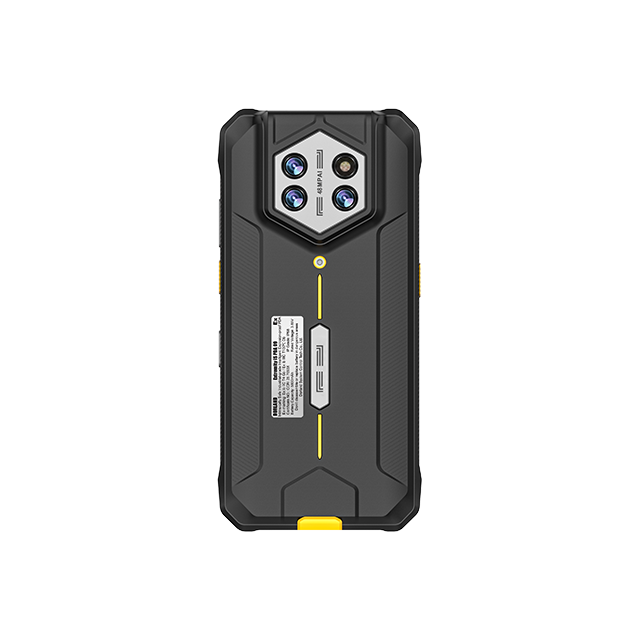
Core Hardware Evaluation Criteria for an Intrinsically Safe PDA
Evaluating hardware for dangerous environments requires a shift in perspective. You cannot compare an industrial terminal to a consumer smartphone. Consumer benchmarks focus on gaming performance and screen refresh rates. Industrial environments demand reliable data capture, thermal stability, and unbreakable connectivity.
Data Capture Performance
Frontline workers rely on scanners to move physical assets through digital workflows. Operational latency occurs when a scanner fails to read a barcode on the first try. The industrial metric for this is the first reading rate. High-quality barcode engines instantly capture dirty, damaged, or poorly printed codes. They eliminate the need for workers to repeatedly wipe labels or manually type serial numbers.
Focal depth variability also requires attention. Close-range inspection scanning demands entirely different optics than long-range warehouse tasks. If a worker needs to scan a pallet from a forklift, the device requires a long-range imager. Furthermore, modern asset tracking demands multi-modal capture capabilities. A single device often needs integrated RFID readers, NFC modules, and high-resolution cameras. These tools enable comprehensive EHS photo-documentation and rapid inventory counts.
Processing and Power Architecture
IT departments frequently chase high processing specs. They assume maximum RAM guarantees better performance. This assumption fails in hazardous environments. Powerful processors and excessive memory generate substantial thermal output. Heat directly threatens intrinsic safety limits. Manufacturers intentionally balance CPU speed and memory capacity. They match memory exactly to processor capabilities. This precise balance prevents battery drain and keeps surface temperatures safely below ignition thresholds. You should prioritize system optimization over raw hardware numbers.
Connectivity in Dead Zones
Petrochemical plants and heavy manufacturing facilities function as giant Faraday cages. Dense metal infrastructure destroys wireless signals. Evaluating a device's connectivity requires looking beyond basic Wi-Fi specs. You must verify its 4G/5G capabilities for remote yard operations. Assess its Wi-Fi roaming handoff speed. A worker walking through a dense pipe gallery should not lose server connection as the device switches access points. Finally, Bluetooth stability proves critical for connecting remote monitoring sensors or gas detectors.
IT Ecosystem Integration: Navigating the Windows vs. Android Divide
Choosing the correct operating system impacts deployment speed and long-term viability. The market historically favored one OS, but shifting workforce demographics are forcing companies to adapt. You must align the device ecosystem with your backend architecture.
The Legacy Infrastructure Challenge
Many heavy industries operate on infrastructure built decades ago. Oil refineries and chemical plants heavily rely on legacy ERP systems. They utilize deeply entrenched SCADA networks. These systems often require specific Windows protocols to function correctly. Upgrading or rebuilding these backend systems costs millions. For this reason, many procurement teams specifically seek out Windows-based rugged devices. Deploying a Windows PDA avoids costly middleware integrations. It minimizes disruption to established data pipelines.
The Android Migration
Despite the persistence of legacy systems, a massive migration is underway. Android dominates the modern industrial mobility landscape. The advantages are difficult to ignore. Android offers a richer app ecosystem and rapid custom software deployment. More importantly, it provides an intuitive user experience. Younger workers entering the industrial workforce expect touch-driven, highly responsive interfaces. Deploying Android devices reduces training time and accelerates field adoption.
MDM & Security
Regardless of the OS, enterprise Mobile Device Management (MDM) integration remains mandatory. Critical infrastructure targets face constant cybersecurity threats. You must evaluate how perfectly the hardware integrates with platforms like SOTI or VMware Workspace ONE. The device must support over-the-air (OTA) updates securely. It must accommodate zero-trust security frameworks. Furthermore, IT administrators need the ability to execute a remote wipe instantly if a device goes missing in the field.
| | Ecosystem Comparison Chart: Windows vs. Android in Hazardous Areas |
Criteria | Windows-Based PDA | Android-Based PDA |
Legacy Integration | Excellent. Native connection to older SCADA/ERP. | Requires middleware or custom API development. |
User Experience | Traditional, often stylus-dependent or dense. | Highly intuitive, touch-optimized, modern. |
App Ecosystem | Limited to proprietary or custom-built software. | Vast enterprise app store availability. |
Training Time | Moderate to High (requires specific onboarding). | Low (mimics consumer smartphone behavior). |
Aligning Device Capabilities with Departmental Use Cases
Different departments interact with hazardous environments in unique ways. A single standard configuration rarely satisfies every user. You should tailor device capabilities to match departmental workflows.
Maintenance & Reliability Teams: These professionals spend hours reading complex digital schematics in the field. They require devices featuring high-visibility, sunlight-readable screens. Robust Wi-Fi matters greatly here. They frequently work in weak-signal basements or metal enclosures where they must download large work orders offline. Durable form factors protect against inevitable drops onto concrete.
EHS & Safety Inspectors: Safety personnel document hazards and audit compliance. They need exceptional imaging capabilities. High-megapixel cameras with low-light performance allow them to capture precise visual audits of corroding pipes or leaking valves. Reliable connectivity ensures real-time incident reporting back to central command.
Warehouse & Logistics: Speed dictates logistics workflows. These workers demand ergonomic, lightweight designs. Heavy devices cause severe wrist fatigue over a 12-hour shift. They require aggressive barcode and RFID reading capabilities to manage high-volume inventory cycles. Superior continuous-scanning battery life prevents mid-shift device swapping.
Implementation Realities and Hidden Deployment Risks
Procuring certified hardware is only the first step. Most compliance breaches actually happen months after deployment. Frontline workers often inadvertently bypass safety systems through improper daily habits.
The Peripheral Trap
The most common deployment error involves accessories. An Intrinsically Safe PDA achieves its certification as a complete system. Adding unapproved accessories compromises that system immediately. For example, plugging a standard consumer headset into the device introduces uncontrolled electrical variables. Using non-certified external scanners or cases immediately voids the intrinsic safety rating. You must source all peripherals from approved OEM channels and verify their independent safety ratings.
Maintenance and Charging Protocols
Harsh industrial environments require regular device cleaning. However, strict operational rules govern this process. Workers often attempt to clean touchscreens using industrial solvents or corrosive chemicals. These harsh agents degrade the specialized anti-static coatings applied to intrinsically safe plastics. Once this coating degrades, the device can build up static electricity, creating an invisible ignition hazard. Furthermore, personnel must strictly charge devices outside of hazardous zones. Charging requires connecting live electrical contacts, which is never permitted in a classified area.
Battery Swapping Limitations
Continuous operations often require multiple batteries per shift. Workers accustomed to standard rugged devices frequently hot-swap batteries whenever power runs low. You cannot do this in hazardous environments. Even intrinsically safe batteries utilize specialized locking mechanisms. You generally cannot hot-swap them while physically standing in a Zone 1 or Zone 2 area. Breaking the battery seal exposes contact points. Operations managers must build strict protocols into shift changes, ensuring all battery swaps occur in designated safe zones.
How to Shortlist Your Handheld Terminal PDA (A Buyer's Checklist)
Selecting the right hardware prevents costly downtime during safety audits. Follow these structured steps to secure a device that accelerates field-to-office data flow while protecting human lives.
Step 1: Audit Site Classifications. Never look at features before understanding your environment. Document exact ATEX, IECEx, or UL requirements. Cross-reference these requirements with facility safety managers.
Step 2: Define the Primary Data Payload. Determine exactly how the workforce interacts with the environment. Identify if they primarily scan barcodes, read RFID tags, capture video footage, or input complex text forms.
Step 3: Assess IT Readiness. Avoid purchasing hardware in a vacuum. Confirm OS compatibility with your current ERP or WMS systems. Verify that your MDM software supports the targeted device fully.
Step 4: Request Field Trials. Never finalize a purchase based purely on spec sheets. Mandate a pilot program. Test glove-touch sensitivity in cold weather. Evaluate screen glare in direct sunlight. Measure actual battery life during a continuous 12-hour shift.
Conclusion
Selecting an intrinsically safe mobile device requires meticulous attention to detail. It is a high-stakes procurement exercise where safety compliance and user experience intersect. You cannot afford to compromise on either front.
Prioritize certification mapping before looking at any hardware performance metrics.
Balance processing power with thermal output to maintain intrinsic safety limits.
Align the operating system with your legacy infrastructure and modern MDM platforms.
Enforce strict post-purchase protocols regarding peripherals, cleaning, and charging to maintain compliance.
The operational return of getting this right is substantial. Investing in the correct, certified handheld terminal accelerates field-to-office data flow. It eliminates workflow friction, reduces downtime during mandatory safety audits, and ultimately protects human lives in highly volatile environments.
FAQ
Q: Can I put a rugged case on a standard PDA and use it in a hazardous area?
A: Emphatically no. Physical protection differs completely from electrical energy limitation. A rugged case protects the device from breaking upon impact. It does not prevent internal circuits or damaged batteries from generating sparks. Only certified intrinsically safe devices limit electrical and thermal energy to prevent the ignition of explosive atmospheres.
Q: What is the difference between Ex (Flameproof) and I (Intrinsically Safe)?
A: Ex (Flameproof) equipment relies on heavy physical enclosures. If a spark inside the device ignites an internal explosion, the enclosure contains the blast so it cannot spread outside. I (Intrinsically Safe) equipment prevents the explosion entirely. It limits electrical circuits so they physically cannot produce the spark or heat needed to start a fire.
Q: How long does the battery last on an intrinsically safe PDA?
A: You can realistically expect a battery to last a full 8 to 12-hour shift under normal use. However, intrinsic safety requires intentional power throttling. Manufacturers limit battery output to maintain safe thermal thresholds. Heavy continuous scanning or constant 5G data transmission will deplete this controlled capacity faster than standard consumer equivalents.